Stream Once. Go Live in 32 Languages.
StreamFluent translates and re-voices your live stream into 32 languages simultaneously. Your viewers hear you in their language.
Start Streaming Free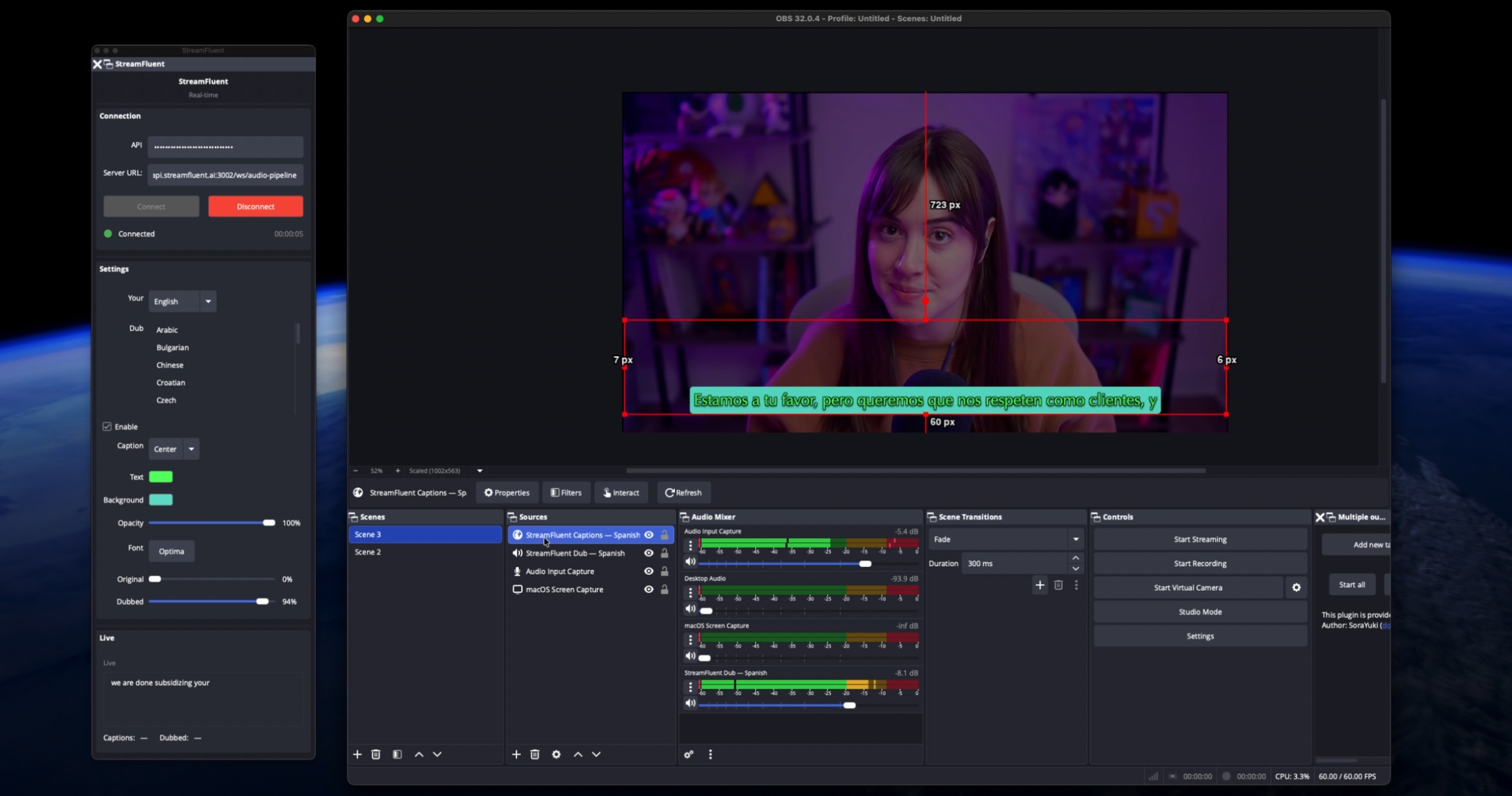
The Problem
You stream in Spanish — or Korean, Portuguese, German. You have a real audience at home. But English speakers never find you. Building a second channel in a language you barely speak is not realistic. Nobody told you there was a third option.
How StreamFluent Fixes It
You stream once in your language. StreamFluent translates and re-voices your audio into up to 32 languages in real time — sub-1 second latency — and pushes each dubbed stream to a separate destination. Spanish viewers hear Spanish. English viewers hear English. You never speak twice.
How It Works
- Connect your stream via OBS plugin or RTMP relay
- Pick your languages and destinations — Twitch, YouTube, Kick, Rumble, or custom RTMP
- Go live — StreamFluent dubs and delivers each language stream automatically
What You Get
- Live dubbing into 32 languages at under 1 second of latency
- Separate streams per language so each audience gets a clean, native experience
- Under 2% CPU overhead — all processing runs in the cloud
- 10 minutes to set up, no virtual cables or complex audio routing
Pricing
Start free — 3 hours of live dubbing included, no credit card required.
| Plan | Price | Hours/mo | Languages | Destinations |
|---|---|---|---|---|
| Free | $0 | 3 hrs | 1 | 1 |
| Basic | $9.99/mo | 10 hrs | 2 | 1 |
| Starter | $27.99/mo | 25 hrs | 3 | 2 |
| Pro | $67.99/mo | 80 hrs | 7 | Unlimited |
Common Questions
Will viewers notice the latency? Sub-1 second. In a live stream context your viewers will not notice a lag — each language stream stays in sync.
Do I need a separate OBS scene for each language? No. StreamFluent handles the split. You run one stream and it fans out to each destination with the correct dubbed audio.
What destinations does it support? Twitch, YouTube, Kick, Rumble, and custom RTMP — any combination you choose.